Affinity Photo – Studio Workshop Resources
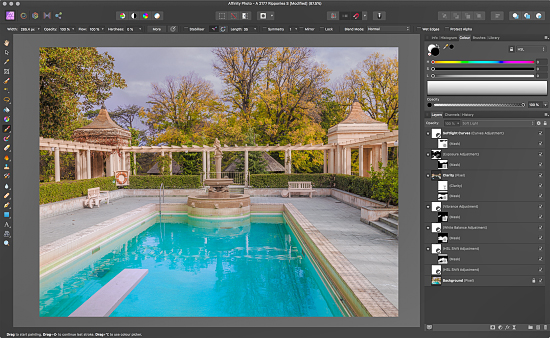 On this page you will find notes and other resources from our recent Affinity Photo studio workshop. As new notes and videos are produced they will be added to this page. Other notes addressing our most FAQs are also permanently available from our Words/Theory of Practice page.
DOWNLOAD INSTRUCTIONS:
Left Click on each link to access the file/movie in a new browser window (zipped folders can’t be previewed) where y0u can Download it directly from our DropBox (i.e. in the browser window’s top right corner select Download/Direct download).
Introduction:
• README_First (98 kb)
Background:
• Concerning Adobe Photoshop (39 kb)
• Working with Pictures (79 kb)
• Why Affinity Photo? (39 kb)
• Affinity Photo – Keyboard Shortcuts (97 kb)
• Affinity Photo – Resolving Photoshop Encoding Errors (1.2 mb)
Essential Reading:
* Alpha (268 kb)
• Brightness (258 kb)
• Blend Ranges (2.1 mb)
Workflows:
• Affinity Photo – How does it contribute to my existing workflow? (90 kb)
• Affinity Photo – Adobe Lightroom Workflow (80 kb)
• Affinity Photo – Capture One Workflow (89 kb)
• Affinity Photo – 3DLUT Creator Workflow (83 kb)
Automating Affinity Photo:
• Installing Actions and Macros (53 kb)
• Les Walkling Affinity Photo Workshop Macros (4 kb)
Advanced Techniques:
• Advanced Techniques Introduction (36 kb)
• Transitioning Photoshop to Affinity Photo – Movie DOWNLOAD (207 mb)
• Photoshop Equalisation Masks (594 kb)
• Photoshop Altered Luminosity (466 kb)
• Photoshop Highlight Protection Masks (538 kb)
• Photoshop HSL Luminosity Masking (398 kb)
• Photoshop Advanced Luminosity Masks (816 kb)
• Photoshop Combining Blending Modes (398 kb)
• Editing LAB (2.7 mb)
Movie downloads are MPEG files that can be viewed in most video players, and our course notes require a PDF Reader such as Adobe Acrobat:
Regards
Les Walkling < Email >